MCarPlay: YouTube, Video and Live TV for Android Auto and Car Screens
 Mücahit Topal
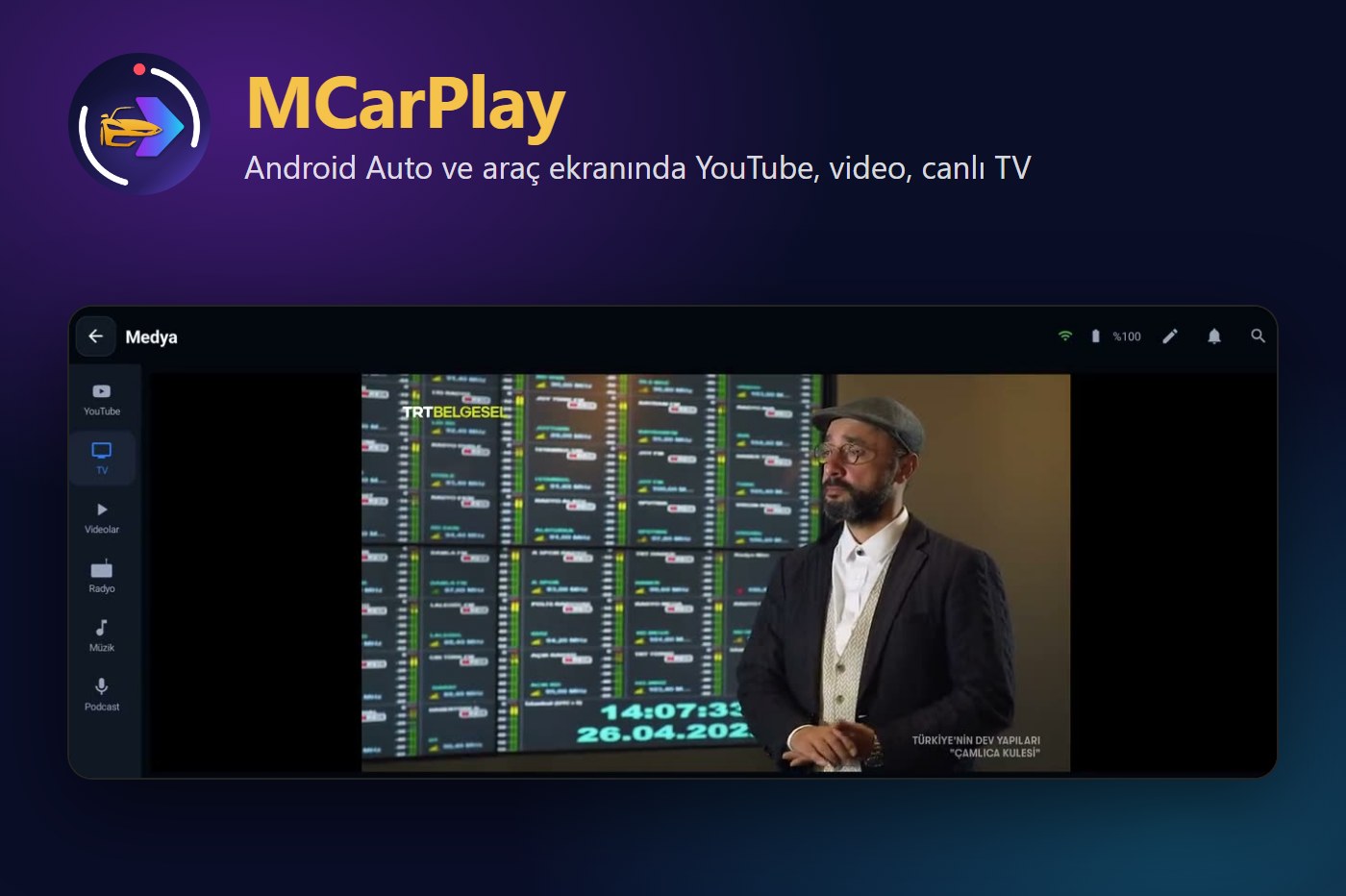
I wanted to write here as well about MCarPlay, which I have been working on for a while. In short: MCarPlay is an app that runs in cars with Android Auto and on Android-based car screens. The starting point was very simple: being able to watch video on the car screen. Over time live TV, radio, maps, a driving dashboard and a whole set of cards that are useful in everyday life were added, and today it has turned into an app that rebuilds the car's screen from scratch.
In this post I will go into detail about what the app does, which cars it works in and how you can try it.

Why an app like this?
Android Auto is a nice system, but what you can do on the car screen is limited: navigation, music, messages. On a long trip the passenger in the next seat cannot put on a video, the kids cannot watch a cartoon at a rest stop, and you cannot check the match highlights while waiting in the car. The first version of MCarPlay came out of this need. Then it grew with requests from the people using it; most of the features in it today were added because a user said "it would be nice to have this too".
The main job: video
MCarPlay's main feature is playing video on the car screen.
- YouTube: Search, trending, categories (music, news, sports, documentaries, kids and others) and recently watched are on the car screen. When a video ends, a related one starts by itself; you move to the next and previous video with the steering wheel buttons.
- Live streams: Live streams on YouTube open too.
- Long videos: Long videos such as documentaries and concerts play without stuttering.
- Fast start: Because the first videos in the list are prepared in advance, the video you tap starts without waiting.
- Background playback: When you start a video or music and switch to the map, the sound continues; a small player stays at the bottom of the screen.
- Videos on your phone: You can also watch the videos stored on your phone on the car screen.
Live TV, radio, music, podcasts
- Live TV: You add your own channel list and watch it on the car screen. You can add more than one list, turn a list on and off, and rename it. Channels are split into categories; with the program guide you see which program is on at that moment. The channel you watched last stays one tap away.
- Radio: There are dozens of ready-made stations; they play with a single tap.
- Music: The music on your phone is listed by folder and can be shuffled. With the equalizer you can adjust bass and sound.
- Podcasts: New episodes of the shows you follow arrive by themselves.
- Spoken news: It reads the latest news aloud to you; your eyes stay on the road.
Maps and driving

- Voice navigation: It draws a route to your destination along real roads and announces the turns by voice.
- 3D map: A tilted map view that rotates in the direction of travel. There are seven different map styles: road, satellite, terrain, light and dark.
- Speed camera and average speed zone alerts: As you approach, the screen flashes red, it stays red while you are in the zone, and turns green when you leave.
- Place search: A fuel station, a restaurant or any place you search for is marked on the map; with "route here" you set off in a single tap.
- Driving dashboard: Speed, distance, duration and average speed on one screen. Your trip is recorded by itself; you can keep two separate trip meters.
- Vehicle information: Speed, fuel or charge, range and mileage read from the car itself over Android Auto. If the car does not provide this information, GPS takes over.
Cards that are useful every day
- Fuel prices: Prices of 25 brands by province and district. On the card you see the brand you use yourself, and in the detail view a comparison of all brands; the cheapest is marked in green.
- On-duty pharmacies: They are listed starting from the one nearest to you; tap one and a route is set.
- Weather, exchange rates, news, prayer times: Each one is a separate card that can be added to the home screen.
- Car maintenance: You enter items such as oil, brakes and periodic service; the card shows how many days are left.
- Social apps and quick access: The sites and apps you use often stay on the car screen as shortcuts. Notifications from the phone appear as a short strip at the top of the screen.
- Screen mirroring: You can mirror your phone's screen to the car and control it from the car screen.
You build the screen
There is no fixed home screen in MCarPlay. The home screen is made up of cards, and you decide which card sits where and at what size. You remove the cards you do not want and arrange the rest. You can choose how many cards sit side by side according to the size of your screen.
There are 10 themes, with dark, light and colorful options. When the sun sets, the screen switches to the night look by itself. The app can be used in Turkish, English, German, Arabic and Russian.
Media next to the map: the Lite entry
In the car's app list there is a second, simpler entry for MCarPlay. Because Android Auto can open it in a split layout, radio, music or video can sit on one side while Google Maps or Yandex Navigator is open on the other. On the left there is a fixed strip: YouTube, TV, Videos, Radio, Music, Podcasts. It does not require a separate installation or a separate license.
Car screens that are not touch-operated and are used with a joystick or a rotary knob were considered too: the selected button is shown with a thick frame, you move around with the direction keys and select with the center key.
Which cars does it work in?
It works in every car that has Android Auto. It is enough for your phone to run Android 9 or later. It can also be installed directly on Android-based car screens; in that case no phone is needed.
So far it has been used in many cars such as the Chery Tiggo and Omoda, Fiat Egea, MG HS, Hyundai Ioniq 6, Opel Astra and Citroën C4. If you are not sure whether it will work in your car, just send me the model details and we will look into it together.
Account, backup and updates
- Account: The trial starts with your email address the first time you open the app. The license you buy from the site is linked with your email and order number, without typing a key.
- Cloud backup: Your settings and favorites are stored tied to your license; when you change phones, they come back once you enter the license.
- Updates: When a new version is released, the app lets you know at startup.
- Data saver: For those using mobile data, there is a mode that reduces data usage.
To try it
MCarPlay can be tried free for 48 hours; no card details are asked for the trial. Details, screenshots and the download link are on the site: mcarplay.com
For your questions and suggestions you can join the WhatsApp community, message +90 537 365 2868 or send an email to [email protected]. For videos and new features: YouTube, Instagram, TikTok, Facebook.
If you drive a Chery Tiggo 7 Pro, Tiggo 8 Pro or Omoda 5, you can also take a look at my other project, which turns the car's own cameras into a dashcam: MDashCam.
The video features are meant to be used by passengers or while the car is parked. Do not take your attention off the road while driving.
MCarPlay,Android Auto,araç ekranı,araç multimedya,YouTube,video,canlı TV,IPTV,radyo,podcast,navigasyon,harita,radar uyarısı,akaryakıt fiyatları,sürüş paneli,Android,App,Program
