Countdown and Auto-Save with JS
 Mücahit Topal
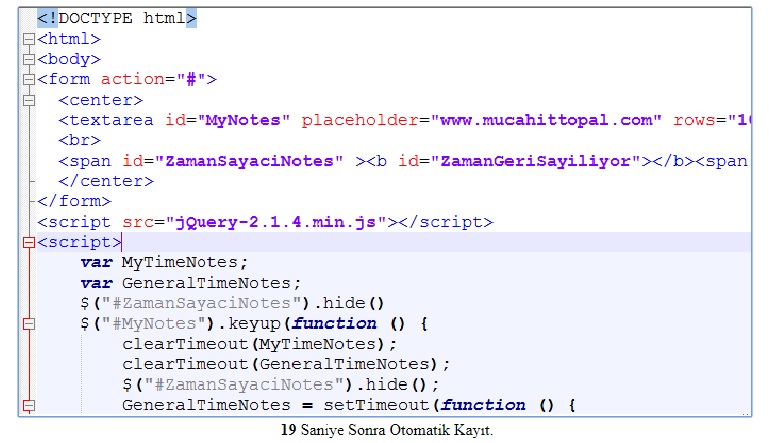
Maybe it will make your work easier, or maybe you want an extra feature in your projects; either way, let's take a look at the code...
Here is how it works: When you type anything into the TextArea or change something inside it, the countdown does not start right away; we added a 3-second delay, which keeps the countdown from constantly restarting while you are typing long sentences. Once you have finished typing, 3 seconds later the 20-second countdown begins. And when the countdown ends, the code you specified will run...
<!DOCTYPE html>
<html>
<body>
<form action="#">
  <center>
  <textarea id="MyNotes" placeholder="www.mucahittopal.com" rows="10" cols="50"></textarea>
  <br>
  <span id="ZamanSayaciNotes" ><b id="ZamanGeriSayiliyor"></b><span id="ZamanSayaciYazi" ></span></span>
  </center>
</form>
<script src="jQuery-2.1.4.min.js"></script>
<script>
    var MyTimeNotes;
    var GeneralTimeNotes;
    $("#ZamanSayaciNotes").hide()
    $("#MyNotes").keyup(function () {
        clearTimeout(MyTimeNotes);
        clearTimeout(GeneralTimeNotes);
        $("#ZamanSayaciNotes").hide();
        GeneralTimeNotes = setTimeout(function () {
            var sure = 20; // how many seconds to wait
            var ZamanGeriSayiliyor = document.getElementById("ZamanGeriSayiliyor");
            var ZamanSayaciNotes = document.getElementById("ZamanSayaciNotes");
            var ZamanSayaciYazi = document.getElementById("ZamanSayaciYazi");
            var saniye = ZamanGeriSayiliyor.innerHTML = sure + 1;
            $("#ZamanSayaciNotes").show();
			ZamanSayaciYazi.innerHTML = " Seconds Until Auto-Save.";
            function ZamanGeriSay() {
                if (saniye != 1) {
                    saniye -= 1;
                    ZamanGeriSayiliyor.innerHTML = saniye;
                } else {
                    try {
						// When the countdown ends

						// operations to perform

						ZamanGeriSayiliyor.innerHTML ="";
						ZamanSayaciYazi.innerHTML = "Auto-Save Successful.";
                    } catch (hata) {
						ZamanSayaciYazi.innerHTML = "Save Failed.--> " + hata.message;
                    }
                    return;
                }
                MyTimeNotes = setTimeout(function () {
                    ZamanGeriSay()
                }, 1000);
            }
            ZamanGeriSay();
        }, 3000);
    });
</script>
</body>
</html>
If you get stuck anywhere, feel free to ask...
Wishing you good use of it...
Js,Geri Sayım,TextArea,Otomatik Kayıt,Sayac,Zaman,Süre,Saniye,CountDown
